

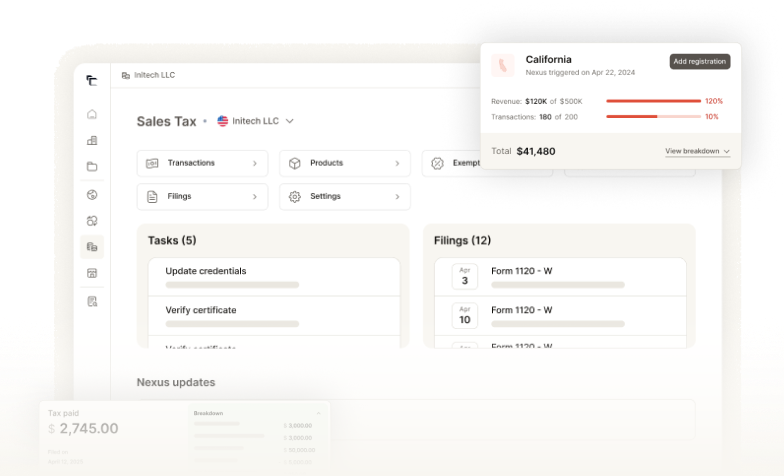
Mastering California sales tax in 2025 requires precision and awareness. From understanding the latest tax rates to adhering to filing deadlines, every detail counts to avoid penalties.
This guide offers a clear roadmap for registering with the CDTFA, preparing your documents, and filing your return accurately.
Equip yourself with the essential knowledge to navigate these waters smoothly and ensure your compliance is flawless.
What is the Sales Tax Rate in California?
As of January 2025, California’s statewide sales tax rate is 7.25%. This rate consists of a 6% state sales tax and a 1.25% local tax that supports various local government services.
Local jurisdictions can impose additional sales taxes that range from 0.10% to 1%, which means the total sales tax rate can vary significantly across different areas of California.
For example:
- Alameda: 10.75%
- Anaheim: 7.75%
- San Francisco: 8.625%
- Los Angeles (Carson): 10.25%
California Sales and Use Tax Overview
California operates under a destination-based sales tax system, meaning that businesses must charge sales tax based on the buyer’s location rather than the seller’s location. This approach requires sellers to be aware of the varying tax rates in different jurisdictions across the state.
Key Features of California Sales Tax
- Sales Tax: Charged on tangible personal property and certain services sold within California.
- Use Tax: Applicable to purchases made out-of-state that are used or consumed within California where no sales tax was paid.
- Local District Taxes: Additional taxes imposed by local jurisdictions can increase the total sales tax rate, which can range from 7.25% to 10.25%, depending on the location.
Taxable and Exempt Items
In California, not all goods and services are subject to sales tax. Understanding what is taxable versus exempt is crucial for compliance.
Common taxable items include:
- Tangible personal property (e.g., furniture, electronics)
- Certain services (e.g., repair services, installation)
- Digital goods (e.g., software, digital downloads)
Sales tax exemptions in California apply to several key categories, including:
- Food products (most grocery items for home consumption)
- Prescription medications
- Certain clothing items (generally exempt if under $110)
For a comprehensive list of taxable and exempt items, businesses are encouraged to refer to the California Department of Tax and Fee Administration’s (CDTFA) guidelines and resources.
When Do Businesses Need to Collect Sales Tax in California?
Businesses are required to collect California sales tax when they establish a sales tax nexus within the state. This nexus can be based on physical presence or economic activity.
Here’s a detailed breakdown of when businesses must collect sales tax:
1. Physical Nexus
A business has a physical nexus in California if it has a tangible presence in the state. This includes:
- Brick-and-mortar stores
- Warehouses
- Employees working in California
If a business operates in California for more than 90 days in a calendar year, it must register for a sales tax permit and collect sales tax on all sales.
2. Economic Nexus
Economic nexus applies to businesses that do not have a physical presence but meet certain sales thresholds. In California, this threshold is set at $500,000 in sales of tangible personal property during the current or previous calendar year. This includes all sales, regardless of whether they are taxable or exempt.
Online sellers or remote sellers who exceed this threshold must register with the CDTFA and collect sales tax.
Businesses must collect sales tax if the following conditions are met:
- They have established nexus (either physical or economic).
- They sell tangible personal property or certain taxable services.
- The buyer is required to pay sales tax on their purchase.
Some buyers, such as governmental entities, non-profit organizations, and those with resale certificates, may not be subject to sales tax even on taxable purchases.
Businesses should ensure their point-of-sale systems are configured to calculate the correct sales tax based on the buyer’s location since California employs a destination-based system for local district taxes.
For information about California’s economic nexus, click here.
Failure to Collect California Sales Tax
Failing to collect and remit sales tax in California can lead to severe consequences for businesses. The CDTFA enforces strict penalties and interest charges for non-compliance, which can escalate depending on the nature and duration of the violation.
Here are some key points to keep in mind:
1. Financial Penalties:
- Late Filing Penalties: Businesses that fail to file their sales tax returns on time may incur a penalty of up to 10% of the tax amount due, along with interest on any unpaid taxes. The longer the delay, the higher the penalties and interest accrued.
- Failure to Remit Collected Tax: If a business does not remit sales tax that has already been collected from customers, it may face a 40% penalty on the unremitted amount, unless the average monthly tax due is below $1,000.
2. Legal Consequences
- Operating without a valid seller’s permit can result in a 50% penalty on taxes due for the period of operation without a permit. This penalty applies in addition to other fines if the business knowingly evaded tax obligations.
- Misuse of resale or exemption certificates can lead to misdemeanor charges, fines ranging from $1,000 to $5,000, or even imprisonment for up to one year.
3. Asset Seizure and Collections
The CDTFA has the authority to encumber property, place bank levies, and seize assets if taxes remain unpaid. This includes issuing civil warrants that allow law enforcement to collect cash directly from business registers.
4. Interest Charges
Interest accrues on unpaid tax amounts from the due date until payment is made. The rate is determined based on the duration of non-payment and the amount owed, compounding the financial burden on businesses.
5. Criminal Penalties
Intentional failure to collect or remit sales tax can lead to criminal charges. If a business knowingly avoids tax obligations or creates fraudulent documentation, it may face severe legal repercussions, including potential imprisonment.
California Sales Tax for Out-of-State and Amazon FBA Program Sellers
Understanding California sales tax obligations is crucial for out-of-state sellers and those utilizing the Amazon Fulfillment by Amazon (FBA) program. Here’s a comprehensive overview of how sales tax applies to these sellers.
Sales Tax Nexus in California
Out-of-state sellers must collect California sales tax if they establish a nexus in the state. Nexus can be either physical or economic:
- Physical Nexus: This occurs when a seller has a tangible presence in California, such as:
- A physical store or office.
- Employees or agents working in the state.
- Inventory is stored in California warehouses.
- Economic Nexus: Following the Wayfair decision, out-of-state sellers are considered to have economic nexus if they exceed $500,000 in sales of tangible personal property delivered to California customers within a calendar year, regardless of physical presence.
Collecting Sales Tax
For out-of-state sellers with nexus, sales tax must be collected based on the buyer’s location, which is referred to as destination sourcing. This means that sellers need to charge the appropriate local tax rate based on where the buyer resides within California.
Amazon FBA Sellers
Sellers using Amazon’s FBA program face unique challenges regarding sales tax:
- When inventory is stored in Amazon’s warehouses located in California, it creates a physical nexus, requiring these sellers to collect and remit California sales tax on sales made to customers within the state.
- Sellers must ensure they are compliant with local tax rates and regulations, as Amazon provides tools for calculating sales tax but does not automatically handle all compliance aspects.
Exemptions for Out-of-State Sales
Sales tax generally does not apply when products are shipped directly to purchasers outside of California for use outside the state.
Specific conditions include:
- The seller ships the product using their own delivery vehicle or through a common carrier.
- The purchaser takes possession of the item outside of California.
Registering for a California Seller’s Permit
Registering for a seller’s permit in California is essential for businesses selling tangible goods or taxable services. This permit allows you to collect sales tax from customers and remit it to the CDTFA.
Here’s a streamlined guide to navigate the registration process.
Step 1: Determine Eligibility
Ensure that your business requires a seller’s permit. If you sell tangible goods or certain services in California, you need this permit.
Step 2: Gather Required Documents
Prepare the following documents:
- Employer Identification Number (EIN): Obtain from the IRS if you have employees or operate as a corporation/partnership.
- Business Details: Provide your business structure, name, and address.
- Personal Identification: Have a driver’s license or state ID ready.
- Social Security Number: Required for sole proprietors.
Step 3: Complete the Application
You can apply for a seller’s permit:
- Online: Visit the CDTFA website and use their online application portal for quicker processing.
- By Mail: Download and complete the “Seller’s Permit Application” (CDTFA-100) form and mail it to the specified address.
Step 4: Submit Your Application
Submit your application through your chosen method. If applying online, follow the prompts; if mailing, ensure you keep a copy for your records.
Step 5: Await Processing
After submission, the CDTFA will process your application. You should receive your seller’s permit within a few weeks. They will contact you if additional information is needed.
Step 6: Understand Your Responsibilities
Upon receiving your permit, you must:
- Collect Sales Tax: Collect sales tax on applicable sales made in California.
- File Sales Tax Returns: Depending on sales volume, file returns monthly, quarterly, or annually.
- Keep Records: Maintain accurate records of all sales and taxes collected for at least four years.
Step 7: Renew as Necessary
While seller’s permits typically do not expire, keep your business information updated with the CDTFA. Changes in ownership or business structure may require reapplication.
Also Read: Sales Tax Permit: How to Register, Verify, and Why Your Business Needs It
How to Collect Sales Tax in California
Collecting sales tax in California requires businesses to follow specific guidelines to ensure compliance with state regulations. Here’s a step-by-step guide on how to effectively collect sales tax.
1. Determine Nexus
- Establish if your business has a physical nexus (e.g., a retail store, inventory, or employees in California).
- Check for economic nexus if your sales exceed $500,000 in tangible personal property delivered to California customers.
2. Register for a Seller’s Permit
Obtain a seller’s permit from the CDTFA to legally collect sales tax.
3. Identify Taxable Sales
Understand what qualifies as taxable sales, including:
- Tangible Personal Property: Most physical goods sold.
- Certain Services: Some services related to tangible goods (e.g., repair services).
4. Calculate the Correct Sales Tax Rate
Use the base sales tax rate of 7.25%, adjusting for local district taxes that can raise the total rate to between 7.25% and 10.25% based on the buyer’s location.
5. Collect Sales Tax at Point of Sale
Ensure your point-of-sale system is set up to automatically calculate and apply the correct sales tax rate during transactions.
6. Maintain Accurate Records
Keep detailed records of:
- Total sales amounts (taxable and nontaxable).
- Amount of sales tax collected.
- Any exemptions claimed (e.g., resale certificates).
7. File Sales Tax Returns
File returns based on your assigned frequency (monthly, quarterly, or annually):
- Gather relevant sales data for the reporting period.
- Complete the California sales tax return form online through the CDTFA.
- Remit total collected sales tax minus any prepayments made during the period.
8. Remit Collected Sales Tax
Submit payment for collected sales tax to the CDTFA by the due date specified for your filing frequency (typically due on the last day of the month following the reporting period).
Discover how you can manage your taxes, submit your returns, and ensure compliance effortlessly with Commenda.
Tax-Exempt Customers in California
- Nonprofit Organizations: Charitable organizations that are recognized as tax-exempt under Section 501(c)(3) of the Internal Revenue Code.
- Resale Transactions: Businesses purchasing goods for resale rather than for personal use can qualify for tax exemption.
- Government Entities: Federal, state, and local government agencies are generally exempt from sales tax on purchases made for official use.
- Certain Educational Institutions: Some public and private educational institutions may also qualify for tax-exempt status.
Filing Sales Tax Returns in California
Here’s a detailed guide on filing sales tax returns, including the filing frequency, deadlines, and necessary forms.
Filing Frequency
The frequency at which businesses must file sales tax returns in California is determined by their average monthly tax liability. Below is a table summarizing the filing frequencies and their corresponding average monthly tax liabilities:
| Filing Frequency | Average Monthly Tax Liability | Due Dates |
| Monthly | More than $1,200 | Last day of the month following the reporting period |
| Quarterly | $101 to $1,200 | Last day of the month following the end of the quarter |
| Semiannually | $51 to $100 | Last day of the month following the end of the period (June and December) |
| Annually | $50 or less | Last day of the month following the end of the calendar year |
Filing Steps
To file your sales tax return in California, follow these steps:
- Calculate Sales Tax Owed: Determine the total sales tax collected during the reporting period.
- Complete the Sales Tax Return: Use the California sales tax return form (CDTFA-401-A) available online or through the California Taxpayers Services Portal.
- Submit Your Return: File your return online or via mail by the due date assigned based on your filing frequency.
- Remit Payment: Pay any sales tax owed at the same time you file your return.
How to Pay Your California Sales Tax
Businesses can pay their California sales tax through several methods:
| Payment Method | Description |
| Online Payment | The most efficient way is to pay through the CDTFA’s California Taxpayers Services Portal using an electronic funds transfer (EFT). |
| Credit or Debit Card | Payments can also be made using a credit or debit card through third-party payment processors, although additional fees may apply. |
| Check or Money Order | Businesses can mail a check or money order along with their paper return, ensuring that it is postmarked by the due date. |
Using Sales Tax Automation Tools
Managing sales tax can be complicated, especially for businesses operating in multiple states. Commenda offers a powerful solution for businesses looking to simplify their sales tax compliance.
With features like automated tax calculations, timely filings, and built-in reporting, Commenda helps you stay organized and compliant across multiple jurisdictions. Trusted by over 250 businesses, it allows you to focus on growth while efficiently managing your sales tax obligations.
For more details on how Commenda can enhance your sales tax processes, click here.
California Sales Tax Compliance Checklist
To ensure compliance with California sales tax regulations, businesses should follow this concise checklist:
- Understand Sales Tax Rates: The statewide base rate is 7.25%, but local rates can exceed 10%. Be aware of specific rates in your area.
- Determine Collection Obligations: Assess if your business has a physical or economic nexus in California and identify taxable goods and services.
- Maintain Accurate Records: Keep detailed sales documentation and obtain valid exemption certificates for tax-exempt sales.
- File Sales Tax Returns: Determine your filing frequency (monthly, quarterly, or annually) and be aware of deadlines to avoid penalties.
- Use Rate Lookup Tools: Utilize the CDTFA Sales Tax Rate Lookup Tool or local government websites to find applicable rates.
- Stay Informed: Regularly check for updates on sales tax laws and provide ongoing training for staff involved in sales and accounting.
- Consult Professionals: If unsure about compliance, consult a tax professional familiar with California sales tax laws.
How Should I Prepare for California Sales Tax Audits and Appeals?
Preparing for a California sales tax audit involves several critical steps to ensure compliance and minimize potential issues. Here’s a guide on effectively preparing for audits and navigating the appeals process.
Understanding the Audit Process
Purpose: CDTFA conducts audits to verify accurate reporting of sales and payment of sales tax.
Auditors review documents to check for:
- Accurate reporting of gross receipts.
- Correct deductions and local tax allocations.
- Proper application of tax rates.
Preparation Steps
- Maintain Organized Records: Keep detailed records for at least four years, including ledgers, invoices, tax returns, and exemption certificates.
- Understand Sales Tax Rules: Familiarize yourself with California’s sales tax laws, including what is taxable and exempt.
- Use Accounting Software: Implement systems that accurately manage sales tax calculations and reporting for easier audits.
- Consider Professional Help: Engage a tax professional or attorney specializing in sales tax audits for guidance and support.
During the Audit
- Cooperate with Auditors: Be responsive to requests for information while protecting your rights.
- Prepare for the Exit Interview: Bring a professional to discuss findings and address discrepancies.
If you disagree with the findings, you have the right to appeal. Gather evidence to support your case and provide additional documentation as needed.
California Sales Tax Rates by City
Below is a table detailing the sales tax rates for various cities in California as of January 2025. These rates include the base state rate and any additional local taxes that may apply.
| City | Total Sales Tax Rate |
| Los Angeles | 9.50% |
| San Francisco | 8.625% |
| San Diego | 7.75% |
| Sacramento | 8.75% |
| Fresno | 8.35% |
| Long Beach | 10.25% |
| Oakland | 10.25% |
| Riverside | 8.75% |
| Bakersfield | 8.25% |
| Santa Ana | 9.25% |
With the intricacies of sales tax regulations, it’s essential for businesses to stay updated on these rates to ensure proper compliance when collecting sales tax from customers. Don’t let sales tax complexities hold your business back.
Partner with Commenda for support today. Schedule a free demo with our sales tax experts now!
FAQs
Still have doubts? Here are answers to some frequently asked questions related to the California sales tax rate.
Q. Do I need a California seller’s permit if I’m only a wholesaler?
A: Yes, even if you are only selling wholesale, you still need a seller’s permit to collect sales tax on applicable transactions.
Q: Do I need a California seller’s permit if I only sell temporarily in the state?
A: Yes, if you are selling tangible goods in California — even temporarily — you are required to obtain a seller’s permit.
Q: What is the penalty for filing and/or paying California sales tax late?
A: Penalties for late filing can range from 5% to 25% of the unpaid tax amount, depending on how late the payment is. Additionally, interest will accrue on any unpaid taxes from the due date until paid.
Q. Is software-as-a-service (SaaS) taxable in California?
A: Generally, SaaS is considered a non-taxable service in California; however, specific circumstances may apply based on how the service is delivered or utilized. Businesses should consult with a tax professional to determine their specific obligations.
